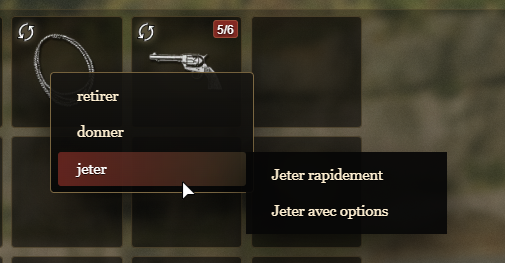
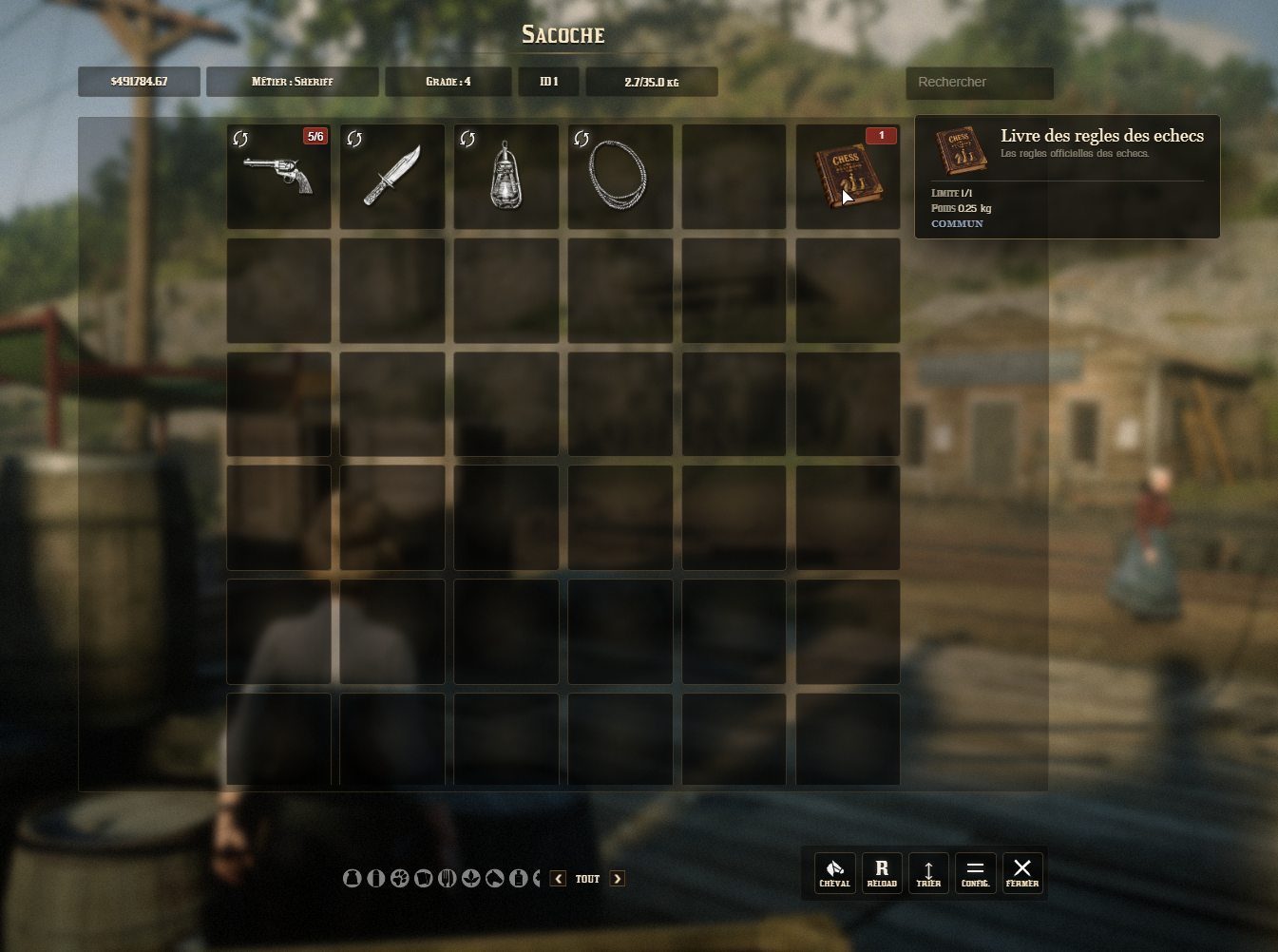
For the VORP framework only / Pour le framework VORP uniquement.
MK VORP Inventory Theme
FR — Une nouvelle identité visuelle pour votre inventaire VORP
Modernisez votre inventaire sans changer les habitudes de vos joueurs.
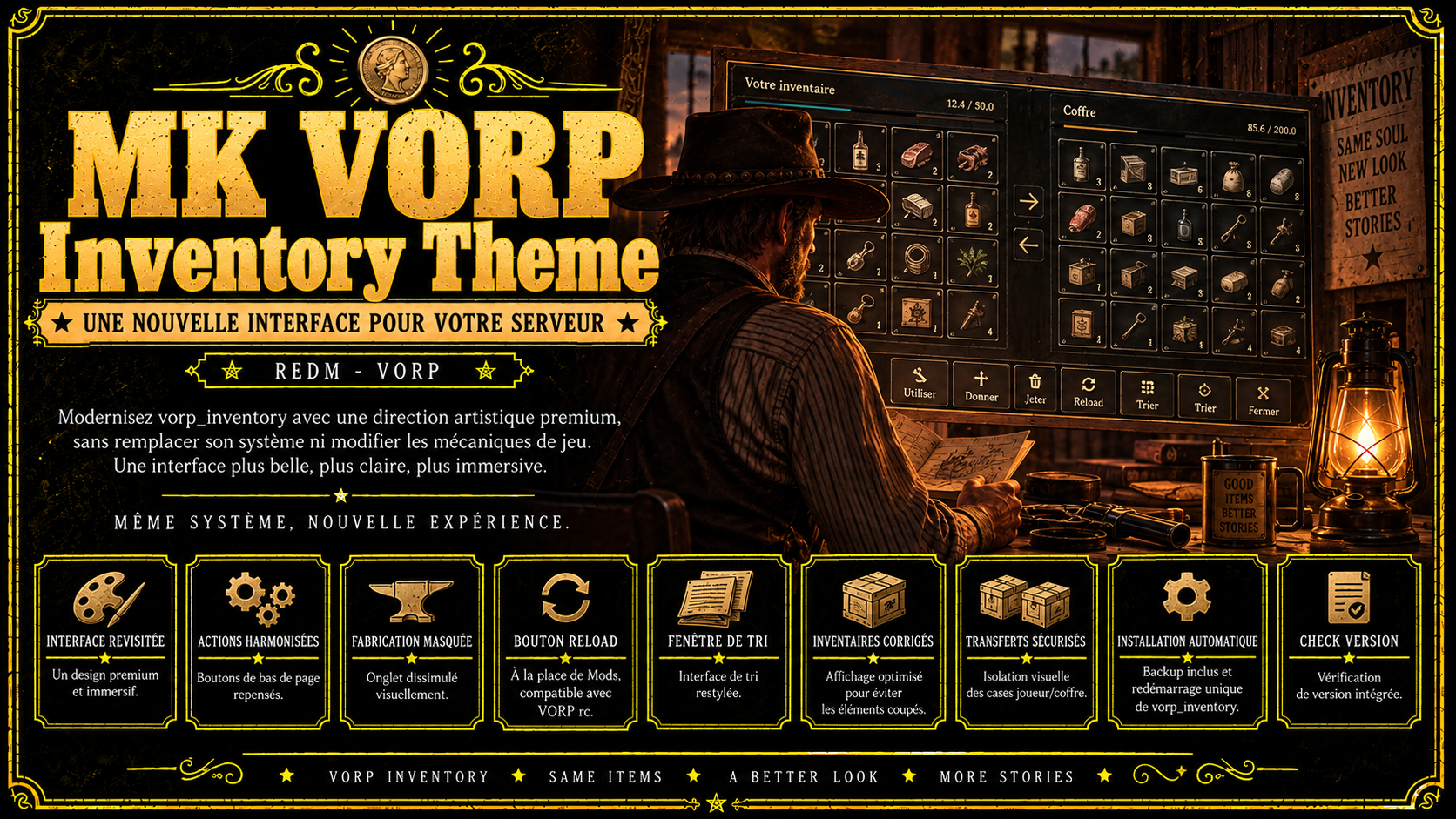
MK VORP Inventory Theme transforme visuellement vorp_inventory avec une direction artistique premium et une interface harmonisée, tout en conservant son système et ses mécaniques de jeu.
Vos joueurs retrouvent leurs inventaires, coffres, transferts d’objets et interactions habituelles dans une interface entièrement restylée. Il s’agit d’un thème visuel, pas d’un système d’inventaire de remplacement.
Fonctionnalités
- Refonte complète de l’interface de vorp_inventory avec une identité visuelle premium.
- Boutons et actions de bas de page harmonisés pour une présentation cohérente.
- Onglet Fabrication masqué visuellement, sans modification des mécaniques de jeu.
-
Bouton Reload à la place de Mods, compatible avec la commande VORP
rc. - Fenêtre de tri restylée pour s’intégrer à la nouvelle interface.
- Affichage des inventaires secondaires corrigé pour éviter les éléments coupés.
- Isolation visuelle des cases joueur et coffre pour éviter les disparitions visuelles lors des transferts d’objets.
- Installation automatique au premier démarrage, avec sauvegarde préalable des fichiers concernés.
- Redémarrage automatique unique de vorp_inventory après l’installation.
- Vérification de version intégrée.
Installation
- Placez le dossier
MK_VORPInventoryThemedansresources/[MK]. - Ajoutez les deux permissions indiquées dans le README.
- Assurez-vous que
vorp_coreetvorp_inventorydémarrent avantMK_VORPInventoryTheme. - Démarrez le serveur sans joueurs connectés pour cette première installation. La ressource crée automatiquement sa sauvegarde, installe le thème puis redémarre uniquement
vorp_inventory, une seule fois.
Prérequis
Un serveur RedM utilisant VORP Core, avec les ressources vorp_inventory et vorp_character installées.
Informations importantes
vorp_inventory n’est pas inclus dans ce pack. Le thème est conçu pour être installé sur une installation VORP existante et préserver les mécaniques d’inventaire, de coffre et de transfert.
L’installation modifie les fichiers nécessaires à l’application du thème dans vorp_inventory. Aucun changement automatique n’est effectué dans vorp_core.
Une sauvegarde est créée avant toute modification et permet de restaurer les fichiers d’origine. Consultez le README avant l’installation et ne lancez pas la première installation avec des joueurs connectés.
EN — A new visual identity for your VORP inventory
Upgrade your inventory’s appearance without changing how your players use it.
MK VORP Inventory Theme visually transforms vorp_inventory with a premium art direction and a cohesive interface, while preserving its existing system and gameplay mechanics.
Players keep their familiar inventories, storage containers, item transfers and interactions within a fully restyled interface. This is a visual theme, not a replacement inventory system.
Features
- Complete visual overhaul of vorp_inventory with a premium design.
- Consistent bottom action buttons for a cohesive interface.
- Visually hidden Crafting tab, without changing gameplay mechanics.
-
Reload button replacing Mods, compatible with the VORP
rccommand. - Restyled sorting window to match the new interface.
- Secondary inventory display fixes to prevent clipped interface elements.
- Visual separation of player and storage slots to prevent visual disappearances during item transfers.
- Automatic installation on first startup, with a backup of the affected files before any changes.
- A single automatic restart of vorp_inventory once installation is complete.
- Built-in version check.
Installation
- Place the
MK_VORPInventoryThemefolder insideresources/[MK]. - Add the two permissions specified in the README.
- Make sure
vorp_coreandvorp_inventorystart beforeMK_VORPInventoryTheme. - Start the server with no players connected for the initial installation. The resource automatically creates its backup, installs the theme and restarts only
vorp_inventory, once.
Requirements
A RedM server running VORP Core, with vorp_inventory and vorp_character installed.
Important information
vorp_inventory is not included in this pack. The theme is designed to be installed on an existing VORP setup while preserving inventory, storage and item transfer mechanics.
Installation modifies the files required to apply the theme within vorp_inventory. No automatic changes are made to vorp_core.
A backup is created before any modifications, allowing the original files to be restored. Read the README before installation and do not run the initial installation while players are connected.